

One script tag
A custom element in Shadow DOM. Host styles can't leak in. Under 20 kB gzipped.
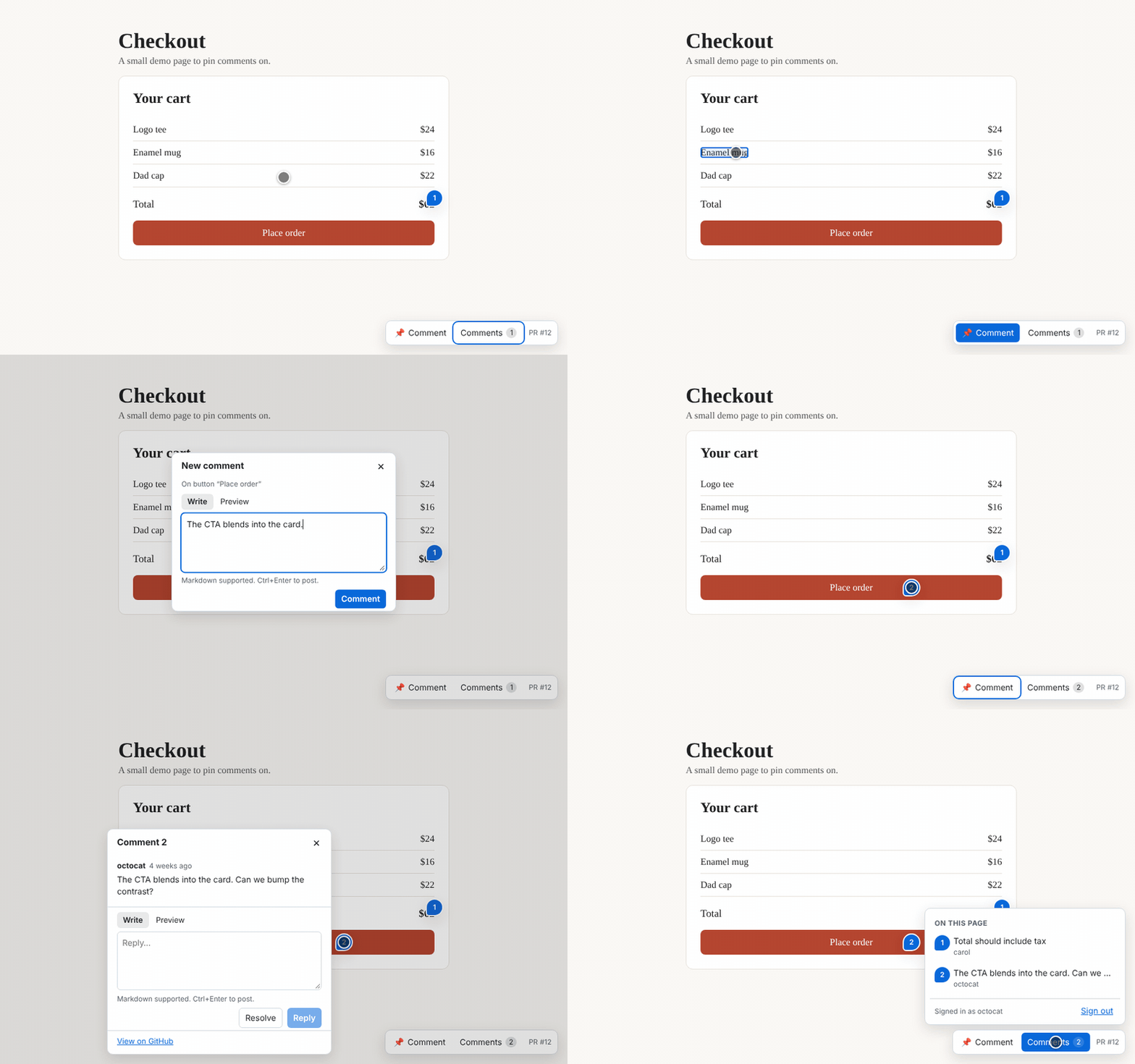
Click any element on a preview deployment, leave a comment, and it lands on the GitHub pull request. GitHub is the only database.
A custom element in Shadow DOM. Host styles can't leak in. Under 20 kB gzipped.

Every pin is a PR comment with hidden metadata. No app server, only a tiny stateless auth worker.

Pins are matched by confidence scoring across several selectors, so renamed classes and reordered lists don't lose them.

With the Vite source plugin, a pin on a component the PR changes becomes a review comment on that file and line.

All authenticated calls happen inside an isolated auth frame. An XSS on the preview can't read the token.

Fully keyboard operable, follows the dialog pattern, and axe reports zero violations in CI.
How it works
Click Comment in the toolbar, then click the thing that looks wrong. The pin remembers it across redeploys.
Markdown with live preview, and an optional screenshot of the area. Sign in with GitHub once per preview site.
As a PR comment, or a review comment on the exact source line. Replies and resolve sync both ways.
Quick start
<meta name="pinback" content="owner=ORG;repo=REPO;pr=123;sha=COMMIT_SHA;auth=https://your-auth.workers.dev">
<script src="https://unpkg.com/@assuncaocharles/pinback@0.1/dist/pinback.js" defer></script>
Without auth the widget is read-only. The setup guide covers the GitHub App, the one-click auth worker deploy and the CI snippet.
Point at them. MIT licensed, free to self-host on Cloudflare's free tier.